Automation
Python Virtual Environments for Ansible [LIVE]
 Editorial
It’s vital to test new technology before rolling it out into your production environment. I like to use Python virtual environments provided by the …
Ansible for Windows – Troubleshooting
 Gineesh Madapparambath
There are many cases where Ansible developers and users struggled to connect Windows machine from Ansible.
How to open WinRM ports in the Windows firewall
We need to make sure, ports 5985 and 5986 (HTTPS) are open in firewall (both OS as well as network side) for Ansible to connect to Windows machine.

How to set up and use Python virtual environments for Ansible
You can have different versions of Ansible and other important Python modules in a dedicated test directory with a virtual environment.

How To Housekeep Your Vagrant Boxes
If you are using different Operating systems and virtual machines using Vagrant, there will be multiple Vagrant boxes downloaded on your local machine …
Demystifying YAML for Ansible [LIVE]
Learn YAML Basics, YAML in Ansible, Variable, List, Dictionary, YAML in Playbook
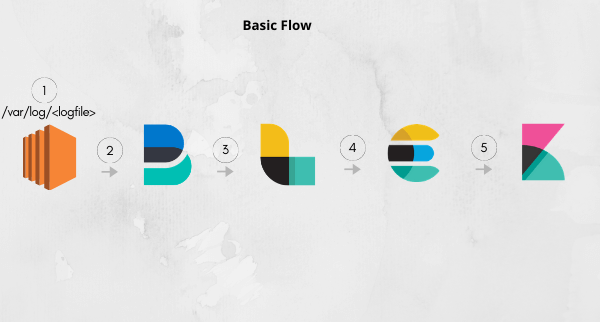
Creating the Elastic Stack on AWS using Terraform
 Shishir Khandelwal
Elastic stack brings all the logs & traces into a single place & Terraform is an Infrastructure as code provisioner. While exploring both of them,...
Ansible for Infrastructure Provisioning in AWS | Ansible Real Life Series
Learn how to use Ansible for Infrastructure Provisioning in AWS Creating ec2 instances Creating security groups Creating Elastic Load Balancers …
Ansible for Linux Filesystem Management | Ansible Real Life
Learn how to use Ansible for Linux Filesystem Management Creating filesystem Creating mount points and mounts Managing permanent mount Modifying the …
Ansible for User Management – Ansible Real Life Series
Learn how to use Ansible for Linux User Management.
Using Ansible with Terraform – Ansible Real Life Series
Learn how to use Ansible with Terraform for provisioning the configurations and software.
Ansible Best Practices – Ansible Real Life Series
Learn about Ansible Best Practices to follow for your environment.